A film camera for iPhone

Shoot film. On your iPhone.

Pick a film and the viewfinder already shows the photo, grain and colour included. Every shot is saved as a RAW negative, so you can change the film after you take it.

6,99 € once, no subscription Coming to the App Store. Free to try on TestFlight today.
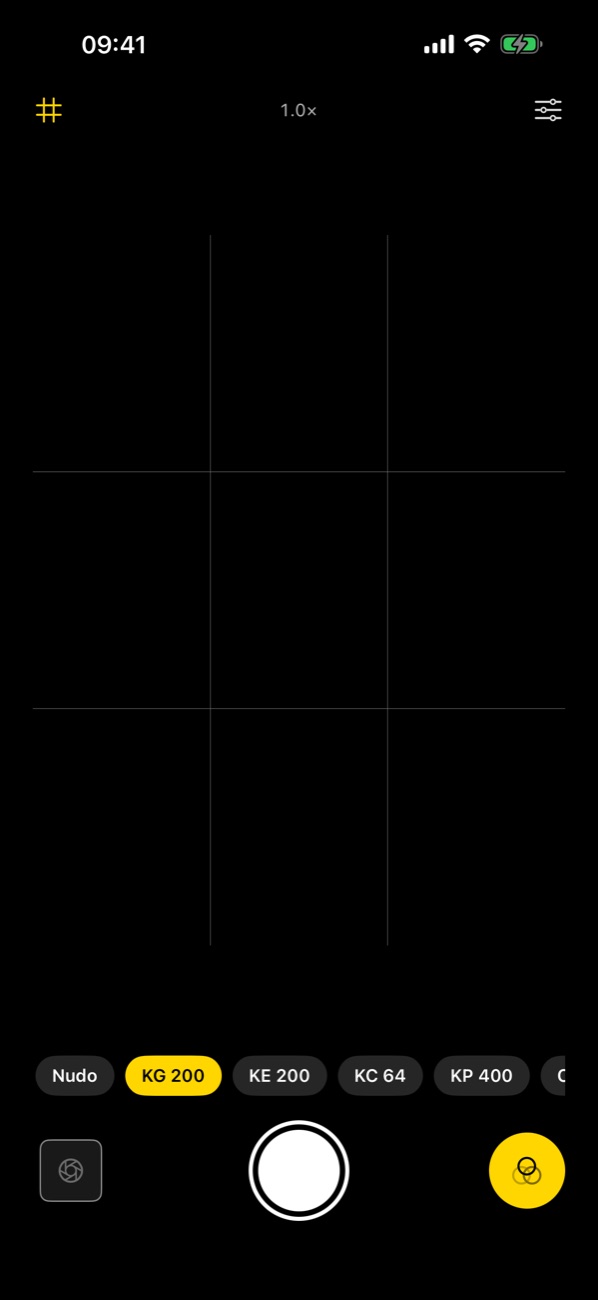
The Grana camera with the recipe strip
NudoKG 200TX 400

One tap, one film

The recipe is applied before the shot, not pasted on after.

Negative kept

The RAW stays with the photo, ready to develop again.

+0.7

Too dark? Develop it again

From the negative, so the shadows open instead of turning grey.

Camera Control

Click to shoot, slide for zoom or exposure.

Recipes

Six films and a bare one.

A recipe is a colour table plus how the RAW is developed: contrast, grain, sharpness, tint. You choose it before the shot and see it live.

NUDO▸ 12A

Nudo Free

The RAW developed straight, no film on top.

KG 200▸ 12A

KG 200 Free

Warm yellows and creamy highlights. Summer in a box.

KE 200▸ 12A

KE 200 Free

Slide film punch with clean, bright colour.

KC 64▸ 12A

KC 64 Pro

Deep reds and dense contrast, like old slides.

KP 400▸ 12A

KP 400 Pro

The quiet one: soft contrast and kind skin tones.

CS 800T▸ 12A

CS 800T Pro

Tungsten film at night: cold light, warm shadows, red glow.

TX 400▸ 12A

TX 400 Pro

Black and white with real bite and grain.

▸ 1

Yours Pro

Build your own, share it, paste the ones friends send you.

The negative

Change the film after the shot.

Most filter apps paint over a finished JPEG. Grana keeps the RAW, and develops it again whenever you ask.

  • Redevelop the exposure. Too dark or too bright: the slider works on the negative, so detail comes back instead of turning to mush.
  • Redevelop with another recipe. Shot it on KG 200, want it on TX 400: same photo, another roll.
  • What you framed is what you get. The viewfinder and the photo are developed the same way.

The camera

A camera that stays out of the way.

  • The phone's real lenses, from the ultra wide up, with no computational makeover on top.
  • Exposure and focus lock, and compensation by dragging in the viewfinder.
  • Camera Control on iPhone 16 and 17: click to shoot, slide for zoom or exposure.
  • A widget with a contact sheet of your latest photos.
The Grana viewfinder

Price

Pay once. Keep it.

No subscription, no account. Try everything that matters for free, unlock the rest with one purchase.

Free forever

  • The camera, with every lens and Camera Control
  • The gallery, share and delete
  • Exposure redevelop from the negative
  • Nudo, KG 200 and KE 200

Grana Pro 6,99 € once

  • Every film recipe
  • Your own recipes, shared and pasted
  • Redevelop a photo with another recipe
  • Restore on every device with your Apple Account

Prices in euro; the App Store shows the equivalent in your currency.


Support

Questions

Write to [email protected]. A real person reads it, usually within a day or two. If something broke, your iPhone model and what you were doing help a lot.

I bought Grana Pro and it is locked again

Open Settings inside Grana, tap Grana Pro, then Restore purchase, signed in with the Apple Account you bought it with.

My photo looks brighter or darker than I wanted

Open it in the gallery and use the exposure slider: it redevelops the negative, so nothing is lost the way it would be by brightening a finished photo.

Where are my photos?

In your Photos library, like the ones from the Camera app. The negatives Grana keeps for redeveloping stay inside the app, on your phone.


Privacy policy

Your photos never leave your phone.

Last updated 19 September 2026

Grana is made by Tild S.r.l.s. This is what the app does with your data, in plain words.

Your photos

Photos and negatives are processed on your iPhone and saved in your Photos library and inside the app. They are never uploaded anywhere. Grana asks for the Photos library to save your shots and to show and delete, when you ask, the ones taken with Grana.

Location

Optional. If you allow it, Grana writes where the photo was taken into the photo itself, like the Camera app does. The location stays in the file on your phone and is not sent to us.

Usage statistics

Grana sends anonymous usage events to our own analytics service (Logga): for example that a photo was taken, with which recipe, zoom and exposure values, or that a screen was opened. Each install has a random identifier that is not linked to your name, email or Apple Account. Events never contain photos, thumbnails, file names or locations. We use them only to find bugs and understand which features are used. We do not track you across other apps or websites, and we do not sell or share this data for advertising.

Purchases

Grana Pro is sold through the App Store. Apple handles the payment; we never see your card or Apple Account details. Purchase status is checked through RevenueCat, which receives an anonymous app user identifier and the receipt Apple provides.

Your choices

You can refuse location at any time from iOS Settings, and delete the app to delete everything it keeps on the phone. To ask about or remove the usage events tied to your install, write to [email protected].

If this policy changes, the date above changes with it.